Microsoft has released a new wave of updates across Microsoft 365, SharePoint, and Teams. These updates are focused on improving security, privacy, and long-term reliability. Some will require small configuration changes to keep everything running smoothly.
Here is what is changing this month and what small teams should pay attention to.
1. Chromium Browser Changes for OneDrive and SharePoint
Starting at the end of October 2025, Chromium version 141 will roll out to Chrome and Edge. This update will limit local network access, which means OneDrive for Web and SharePoint will begin prompting users for permission when accessing local resources.
If users do not allow access, offline syncing and performance optimizations will stop working.
Action: Configure the LocalNetworkAccessAllowedForUrls policy so your users are pre-approved to access Microsoft 365 domains. This prevents prompts and keeps performance stable.
2. SharePoint Framework Domain Isolated Web Parts Retirement
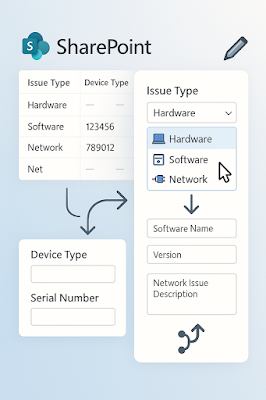
Microsoft confirmed that domain isolated web parts will retire on April 2, 2026. After that date, they will stop working and show an error message.
Action: Check the SharePoint admin center under API access. If you see permissions under “Isolated,” those web parts need to be converted and redeployed as standard web parts.
3. SharePoint 2013 Workflows Retirement
SharePoint 2013 workflows will stop working on April 2, 2026. Microsoft is encouraging all customers to migrate to Power Automate or another supported solution.
Action: Use the Microsoft 365 Assessment tool to identify any workflows still running on the old system. Migrate them early to avoid interruptions.4. DNSSEC and Mail Record Changes
Starting February 2025, Microsoft will begin using mx.microsoft instead of mail.protection.outlook.com for new accepted domains. This change supports DNSSEC, a technology that protects against spoofing and DNS-based attacks.
Action: If you use scripts or automation that rely on the old mail record structure, update them to use the List serviceConfigurationRecords Graph API. This ensures new records are read correctly.
5. Unified App Management for Teams, Outlook, and Microsoft 365
Microsoft is currently rolling out unified app and agent management across Teams, Outlook, and Microsoft 365. The rollout will finish by mid-November 2025.
Action: Review your app and agent settings in both the Teams Admin Center and Microsoft 365 Admin Center. Once unified, settings made in one place will apply across all platforms.
Why It Matters
These updates show that Microsoft is continuing to move toward stronger security and simpler management. For small teams, this means less manual work, more automation, and fewer legacy systems to maintain.
Taking time to review these updates now will prevent larger issues later.
🧩 Quick Summary for Admins
- Configure the local network policy for OneDrive and SharePoint before Chromium 141 arrives.
- Replace domain isolated web parts before April 2026.
- Migrate SharePoint 2013 workflows to Power Automate.
- Update DNS automation scripts for the new mx.microsoft structure.
- Review Teams and Microsoft 365 app settings to prepare for unified management.
HIPPA COMPASS News helps small teams stay informed about security, compliance, and Microsoft 365 changes that impact daily operations. We turn complex IT updates into simple, actionable insights.
#HIPPACompassNews #Microsoft365 #Teams #SharePoint #Intune #Compliance #DNSSEC #Cybersecurity #PowerAutomate #TechnologyUpdate #HealthcareIT
About the Author

Luis Puello
I partner with small businesses to simplify their technology and compliance. From vendor setup to Microsoft security, I help you build a system that’s organized, scalable, and ready for growth.

Puello, L (2025). (8) October 2025 Update: Key Microsoft Announcements That May Affect Your Team | LinkedIn [Accessed: 11th October 2025].