New website coming soon - www.espc.tech
  • ESPC26, RAI, Amsterdam, 30th Nov - 3rd Dec
Super Early Bird Sale Ends Soon

,

,

,

Book Now
  • About Us
  • Tickets
  • Login
  • Login
  • Conference
    • ESPC Team Discounts
    • 2025 Programme
      • Full Programme
      • Programme at a Glance
      • Keynotes
      • Tutorials
      • Microsoft Sessions
      • Inspire Track
      • ESPC Innovation Hub
    • Area of Interest Guide
      • Developers
      • Business Decision Makers
      • IT Professionals
      • Makers
      • Security
      • AI
    • Role-Based Tracks
      • Consultant
      • Product Manager
      • Developer
      • IT Manager
      • Architect
      • Application Consultant
      • Digital Workplace Specialist
    • Convince my Boss
    • Women In Tech
    • ESPC Inspire Awards
    • 2026 Programme Team
    • Previous Programmes
      • ESPC24 Programme
      • ESPC23 Programme
    • Photo Gallery
    • Code of Conduct
    • Email Updates Signup
  • Speakers
    • Submit to Speak ESPC
    • 2025 Speakers
    • 2025 Keynotes
    • Previous Speakers
      • 2024 Speakers
      • 2023 Speakers
      • 2023 Microsoft Speakers
      • 2022 Speakers
      • 2021 Speakers (Online)
      • 2020 Speakers (Online)
      • 2019 Speakers
      • 2018 Speakers
      • 2017 Speakers
  • Sponsors
    • 2026 Sponsors
    • Previous Sponsors
      • 2025 Sponsors
      • 2024 Sponsors
      • 2023 Sponsors
      • 2022 Sponsors
    • Sponsor Info
    • Sponsor Booking Form
  • Attendees
    • Why Attend
    • ESPC Conference 2025 Showreel
    • ESPC Conference Reviews
    • Networking Night
    • Top Things To Do In Amsterdam
    • Amsterdam Venue & FAQs
    • Booking T&Cs
    • Contact Us
  • Learning Hub
    • Learning Hub
      • What is the Learning Hub
      • Learning Hub Quizzes
    • Community Blog
    • Content Weeks
      • SharePoint 25th Birthday
      • Microsoft Power Platform Week
      • Microsoft SharePoint Week
      • Microsoft Azure AI Week
      • Microsoft Fabric Week
      • Microsoft Copilot Week
      • Microsoft Teams Week
      • Microsoft Azure Week
    • Upcoming webinars
    • Webinar Archive
    • eBooks
    • How To Videos
  • BOOK TICKETS
  • Conferences
    • ESPC – Microsoft 365 & AI
    • European Microsoft Fabric + SQL Community Conference
    • European Power Platform Conference
  • Tickets
    • Conference
      • ESPC Team Discounts
      • 2025 Programme
        • Full Programme
        • Programme at a Glance
        • Keynotes
        • Tutorials
        • Microsoft Sessions
        • Inspire Track
        • ESPC Innovation Hub
      • Area of Interest Guide
        • Developers
        • Business Decision Makers
        • IT Professionals
        • Makers
        • Security
        • AI
      • Role-Based Tracks
        • Consultant
        • Product Manager
        • Developer
        • IT Manager
        • Architect
        • Application Consultant
        • Digital Workplace Specialist
      • Convince my Boss
      • Women In Tech
      • ESPC Inspire Awards
      • 2026 Programme Team
      • Previous Programmes
        • ESPC24 Programme
        • ESPC23 Programme
      • Photo Gallery
      • Code of Conduct
      • Email Updates Signup
    • Speakers
      • Submit to Speak ESPC
      • 2025 Speakers
      • 2025 Keynotes
      • Previous Speakers
        • 2024 Speakers
        • 2023 Speakers
        • 2023 Microsoft Speakers
        • 2022 Speakers
        • 2021 Speakers (Online)
        • 2020 Speakers (Online)
        • 2019 Speakers
        • 2018 Speakers
        • 2017 Speakers
    • Sponsors
      • 2026 Sponsors
      • Previous Sponsors
        • 2025 Sponsors
        • 2024 Sponsors
        • 2023 Sponsors
        • 2022 Sponsors
      • Sponsor Info
      • Sponsor Booking Form
    • Attendees
      • Why Attend
      • ESPC Conference 2025 Showreel
      • ESPC Conference Reviews
      • Networking Night
      • Top Things To Do In Amsterdam
      • Amsterdam Venue & FAQs
      • Booking T&Cs
      • Contact Us
    • Learning Hub
      • Learning Hub
        • What is the Learning Hub
        • Learning Hub Quizzes
      • Community Blog
      • Content Weeks
        • SharePoint 25th Birthday
        • Microsoft Power Platform Week
        • Microsoft SharePoint Week
        • Microsoft Azure AI Week
        • Microsoft Fabric Week
        • Microsoft Copilot Week
        • Microsoft Teams Week
        • Microsoft Azure Week
      • Upcoming webinars
      • Webinar Archive
      • eBooks
      • How To Videos
    • BOOK TICKETS
    • Conferences
      • ESPC – Microsoft 365 & AI
      • European Microsoft Fabric + SQL Community Conference
      • European Power Platform Conference
  • This field is for validation purposes and should be left unchanged.
  • Keep up, Get ahead

    Join over 14,000 subscribers and 50,000 readers per month who get the latest updates and expert content from across the community.
  • You’re almost there…

  • This field is hidden when viewing the form
  • This field is hidden when viewing the form

Gregory Zelfond

Apr 17, 2018

What is the problem you are trying to solve?

5 Minutes

The latest trend that I notice by those who start using Office 365 is an immediate desire to start using all the tools available in Office 365 all at once. Why??? Way too often I see my clients start using Teams, Planner, Yammer, Office 365 Groups all at once, without having a clear strategy. When you go to Starbucks®, and see 20 different choices for coffees, lattes, and cappuccinos – do you start drinking them all at once? I hope not!

Just because the choices are there, does not mean you need to use them! Nobody is twisting your arms and forcing you to use any of them. If, on another hand, you have a hard time choosing the right tools, ask yourself a simple question:

What is the problem or pain point you are trying to solve?

Once you respond to the above question, choose the minimum number of tools and options that will solve it! Do not implement everything at once, just because you can. This will lead to governance disaster. Here are some common problems faced by organizations and proposed tools from the Office 365 suite.

PROBLEM 1: OUR FOLDER STRUCTURE IS A MESS

Forget about all the “other” tools. Just use SharePoint and metadata. The combination of both will allow you to organize and streamline on categories and naming convention.
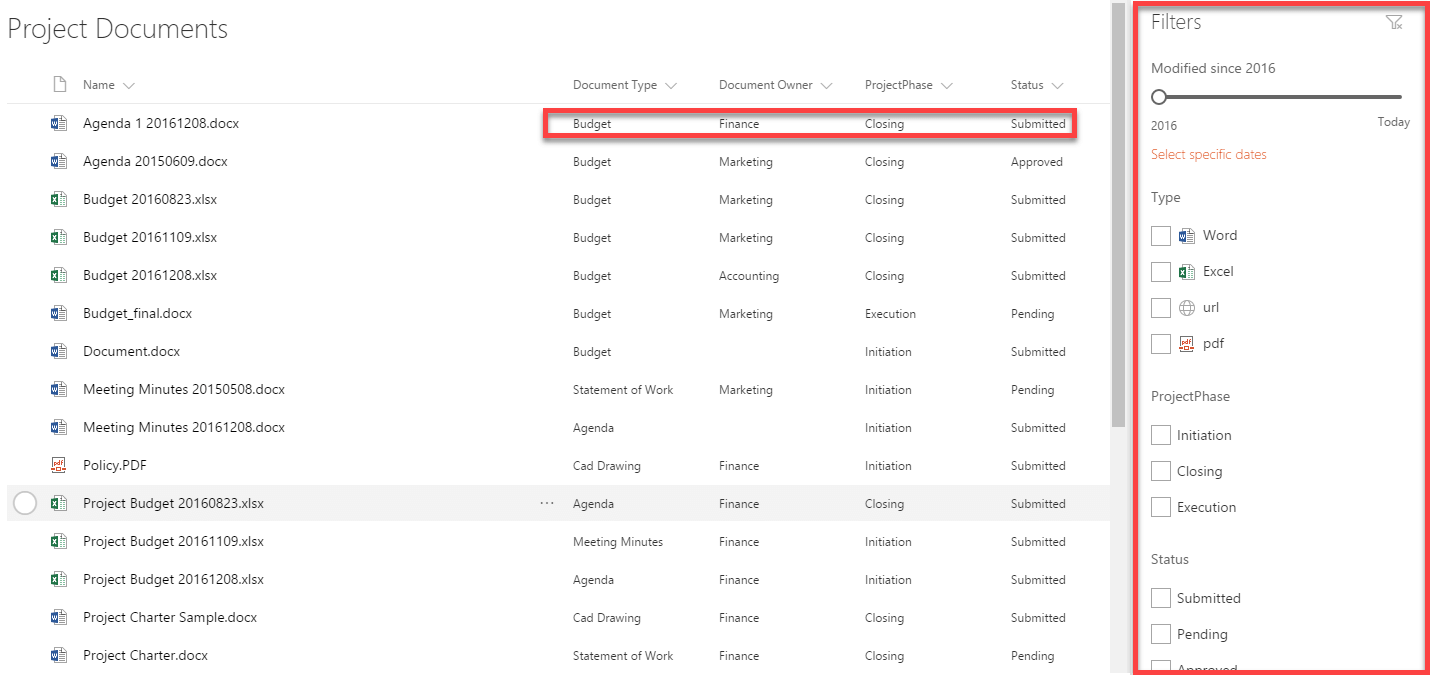
Project Documents

Project Documents


PROBLEM 2: WE NEED TO MANAGE PROJECTS AND ORGANIZE OUR PROJECT INFO BETTER

Once again, SharePoint to the rescue. For simple project management, you can utilize team sites and use out of the box web parts. Read this post to learn how you can use SharePoint to set up a simple PMO.
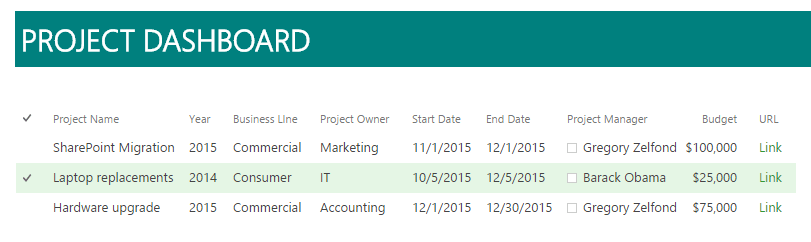
Project Dashboard
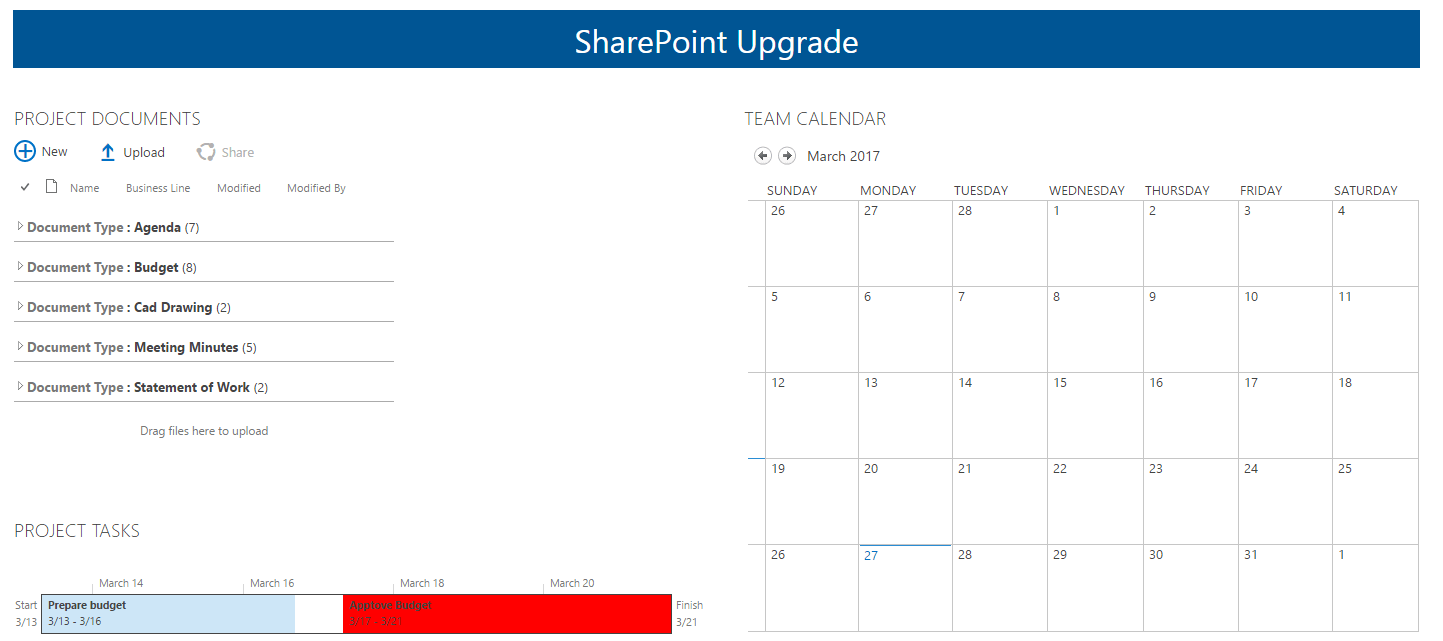
Project Dashboard

SharePoint Upgrade

SharePoint Upgrade

PROBLEM 3: WE NEED TO MANAGE AGILE PROJECTS

If setting up SharePoint sites is not your thing, go with Office 365 Groups. An Office 365 Group gives you access to other tools like Planner, Teams and a fully-functional SharePoint site. By the way, if you want to learn more about how Planner can be used for Agile/Scrum projects – this post is for you.
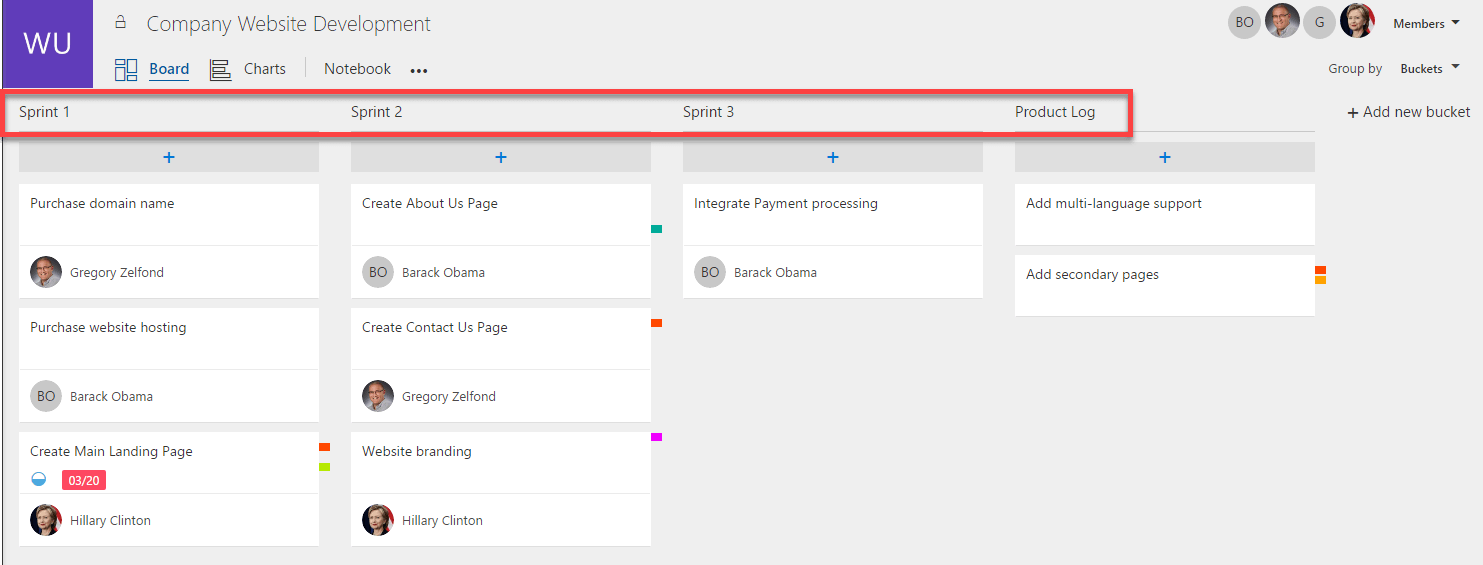
Office 365 Groups

Office 365 Groups

PROBLEM 4: WE NEED TO IMPROVE PROJECT COMMUNICATION BETWEEN DISPERSED TEAMS
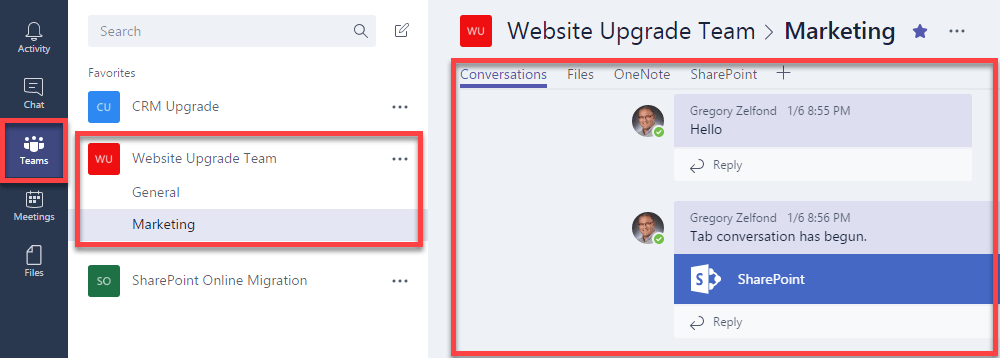
The newly released Teams might be the communication vehicle you are looking for. You can read more about Teams here.

Microsoft Teams

Microsoft Teams

PROBLEM 5: WE NEED TO IMPROVE COMPANY-WIDE COMMUNICATION

Once again, Teams is one of the communication channels you can use. Another alternative would be to use Yammer, which is also part of your Office 365 suite. Teams might be more of a project-centric type of venue, while Yammer can be used for company-wide communications.
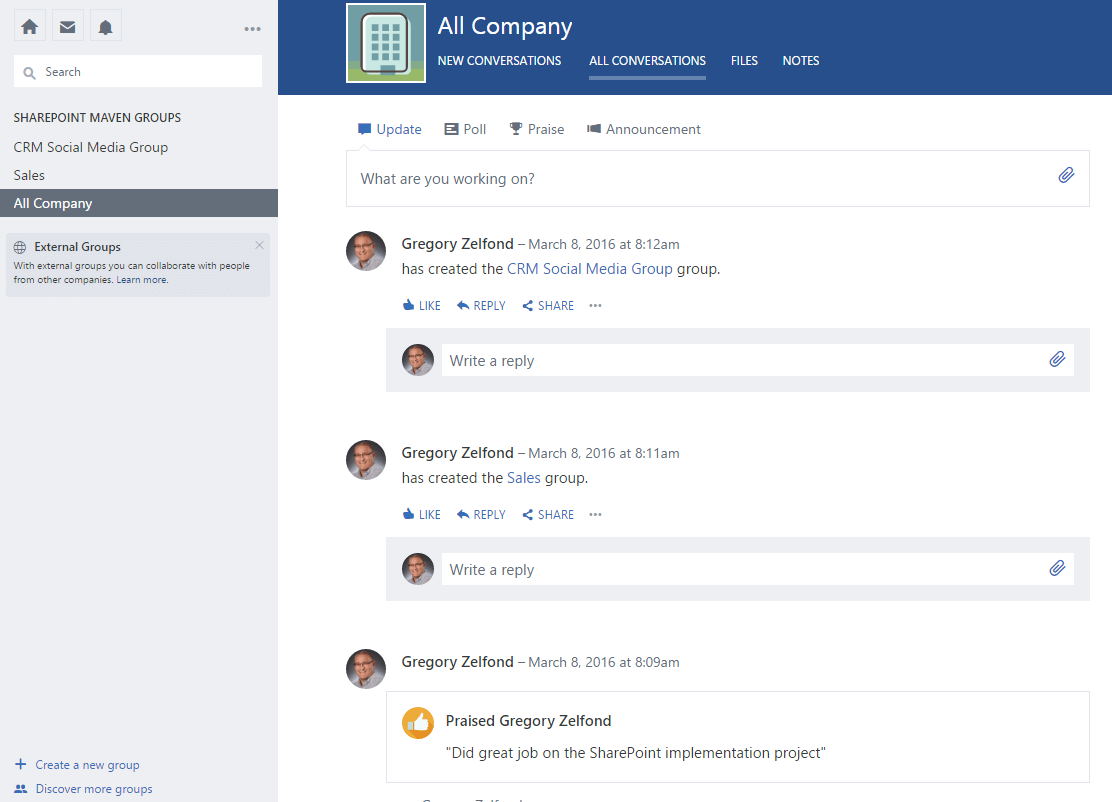
Company wide communication

Company wide communication

PROBLEM 6: WE NEED TO AUTOMATE SOME OF OUR BUSINESS PROCESSES

No problem, have you looked at SharePoint Designer, Microsoft Flow, and PowerApps? While you need some know-how to customize each to your specific needs, simple document or vacation approvals can happen using Out of the Box functionality. Check out this post on Content Approvalfeature to learn more.

THE BOTTOM LINE

So the list above is not meant to be a comprehensive list of all the possible problems you have in your organization. It is quite possible, SharePoint and Office 365 will not solve all of them either. However, it is very important to only pick and choose the Office 365 tools you absolutely need. Using all of the above, all at once, especially without proper governance and training, is a sure way to fail an implementation and user adoption.

Reference:
Zelfond, G. (2018). What is the problem you are trying to solve?. Available at: https://whitepages.unlimitedviz.com/2018/01/using-power-bi-to-report-on-person-fields-in-sharepoint/ [Accessed 30 Mar. 2018].


Share this on...

Rate this Post:

Share:

Topics:

Best Practices

Tags:

Best practices Branding Document library folders Intranet Metadata Migration navigation Office 365 Groups Security Site hierarchy Training Videos

You might also like ...

Oct 23, 2023

How to migrate to a modern intranet without the migraine

Jul 18, 2023

How to migrate to OracleDB for Azure using ZDM Physical Online Migration

Jul 03, 2020

Migrate SQL Server Database to an Azure SQL Database

Trending Posts

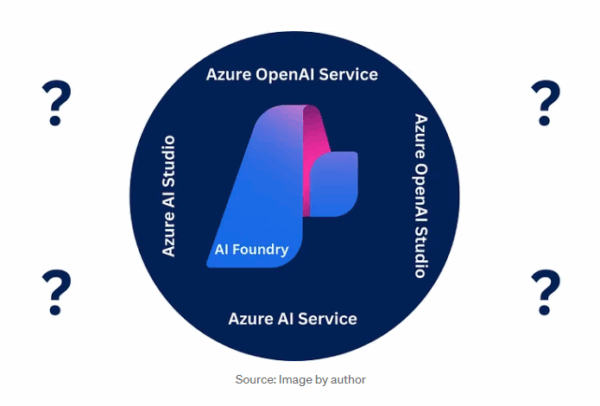
  • Azure Open AI Vs Azure AI Services Vs Azure AI Foundry
    Aug 18 2025 Azure Open AI Vs Azure AI Services Vs Azure AI Foundry
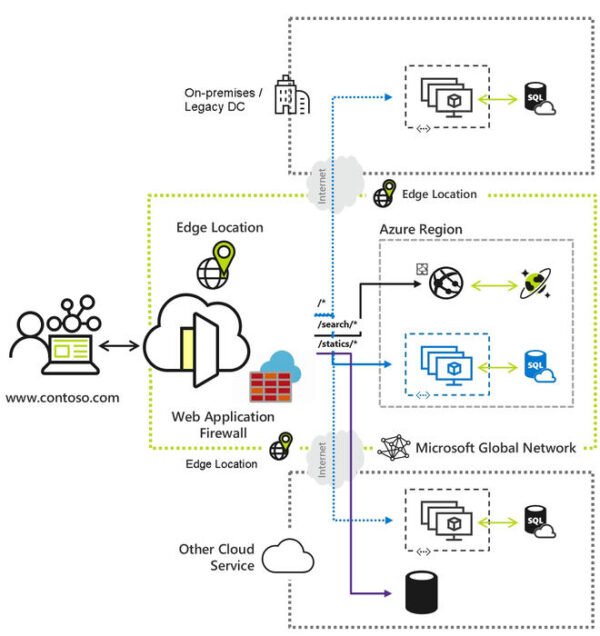
  • Azure Front Door Architecture and Pricing Models
    Aug 19 2025 Azure Front Door Architecture and Pricing Models
  • Phone with Copilot logo with GPT-5 code surrounding it
    Aug 26 2025 Microsoft News: Say Hello to GPT-5 - A Landmark Moment for AI
  • How Much Does Your Chatbot Cost? Demystifying Copilot Studio Licensing Costs
    Apr 7 2025 How Much Does Your Chatbot Cost? Demystifying Copilot Studio Licensing Costs
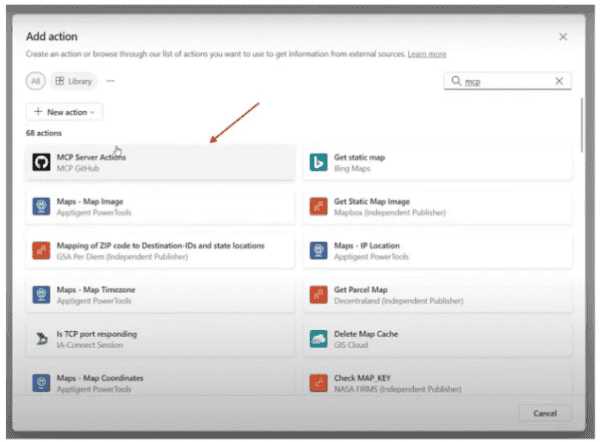
  • Microsoft Introduces Model Context Protocol (MCP) in Copilot Studio: A New Standard for AI Integrations
    Apr 10 2025 Microsoft Introduces Model Context Protocol (MCP) in Copilot Studio: A New Standard for AI Integrations
  • Recent Posts

    • Share your Expertise with the Microsoft 365 and AI Community
    • Microsoft News: A Reimagined SharePoint Experience Is on the Way
    • ESPC26 Programme Team: Meet Rik Hepworth
    • Compress photos in Power Automate
    • Dataverse ERD Visualizer: See Your Data Model, Understand Your Data
  • Rate This Post

    Join our Mailing List!

    Join the ESPC mailing list to receive the best, free content from across the SharePoint, Office 365 & Azure community, including our monthly newsletter and the latest conference announcements. You can unsubscribe at any time with one click.
    • This field is for validation purposes and should be left unchanged.
    • Sign up to receive exclusive content and analysis from the Microsoft 365 & Azure community, as well as the latest conference updates and offers.

    • This field is hidden when viewing the form

    • Conference
      • Book Tickets
      • ESPC25 Programme
      • ESPC24 Programme
      • ESPC Conference 2024 Showreel
      • Photo Gallery
      • Code of Conduct
      • Conference Email Updates
    • Speakers
      • ESPC25 Speakers
      • ESPC24 Speakers
      • Submit to Speak
    • Sponsors
      • Sponsorship Info
      • ESPC25 Sponsors
      • ESPC25 Sponsors
    • Attendees
      • ESPC Conference 2025 Showreel
      • Tickets & Pricing
      • ESPC Conference Reviews
      • Terms & Conditions
      • ESPC25 Venue & FAQ
      • About Us | Contact Us
    • Content & Community
      • ESPC Learning Hub
      • Community Blog
      • Webinar Archive
      • Upcoming webinars
      • How To Videos
      • eBooks
      • Contribute
      • Sitemap
      • Learning Hub Email Updates

    sharepoint-logo

    Find us and follow us

    • © ESPC Conference, 2026
    • T&C’s
    • Cookie Policy
    • Privacy Policy
    • +353 91 416999
    part of the
    By using our website you agree to our use of cookies in accordance with our cookie policy.Accept
    Privacy & Cookies Policy

    Privacy Overview

    This website uses cookies to improve your experience while you navigate through the website. Out of these, the cookies that are categorized as necessary are stored on your browser as they are essential for the working of basic functionalities of the website. We also use third-party cookies that help us analyze and understand how you use this website. These cookies will be stored in your browser only with your consent. You also have the option to opt-out of these cookies. But opting out of some of these cookies may affect your browsing experience.
    Necessary
    Always Enabled
    Necessary cookies are absolutely essential for the website to function properly. This category only includes cookies that ensures basic functionalities and security features of the website. These cookies do not store any personal information.
    Non-necessary
    Any cookies that may not be particularly necessary for the website to function and is used specifically to collect user personal data via analytics, ads, other embedded contents are termed as non-necessary cookies. It is mandatory to procure user consent prior to running these cookies on your website.
    SAVE & ACCEPT
    • Log In
    • Register

    Resource Centre Login - Content

    • Register
    • Lost your password?

    Resource Centre Login - Content

    • This field is for validation purposes and should be left unchanged.
    • Already a member? Simply Login

    • Become an ESPC Community Member today to access a wealth of SharePoint, and Azure knowledge for free. New content is added daily to the online Resource Centre, across a variety of topics and formats from Microsoft MVP’s and industry experts. With over 2,500 eBooks, webinars, presentations, how to videos and blogs, there is something to suit everyone’s learning styles and career goals.

      (All Fields Required) ** Verification Email will be sent **
      Check your Spam/Junk/Clutter folder
    • ** Verification Email will be sent **
      Check your Spam/Junk/Clutter folder

    • Already have an account?Sign In

    • Not a member yet? Create a free accountSign Up

    Email Updates Signup

    • This field is for validation purposes and should be left unchanged.
    • Sign up to receive exclusive content and analysis from the Microsoft 365 & Azure community, as well as the latest conference updates and offers.

    • This field is hidden when viewing the form

    STAY UP TO DATE - JOIN OUR MAILING LIST

    opt-in