In series of next editions, we will be Creating a Custom Copilot Agent using Microsoft 365 Agent Framework and Agent 365 capabilities to securely register a Custom Agent in Agents 365 registry. This agent will communicate with Copilot studio agent via Agent-2-Agent (A2A) Option in Copilot Studio.
🛠️ Microsoft Agent 365 DevTools CLI is a command-line tool that is used to deploy, administer and govern Agent 365 agents.
The first step 🪜 in developing MS 365 Agents SDK agent is to configure this CLI tool to streamline the development, deployment, and management of our Microsoft Agent application. Follow the Video below.
Required permissions – Your account must have one of the following roles:
- Global Administrator
- Agent ID Administrator
- Agent ID Developer
💼 Business Case
Build a Custom Custom Engine Agent using Microsoft 365 Agent Framework and Agent 365 capabilities that can be governed and consumed by Copilot Studio Agent via Agent-2-Agent (A2A) option.
In this series of posts, we’ll look at:
1️⃣ Installing Agent 365 CLI for Agent Management and Deployment – this post.
2️⃣ Create a Custom Engine Agent in VS Code and Register a blueprint identity (Agent365 commands)
3️⃣ Publish Custom Engine Agent to Agents 365 Registry and Add in a Copilot Studio Agent (A2A protocol) – Next Part.
🏗️ Agent 365 Custom Engine Agent – Architecture
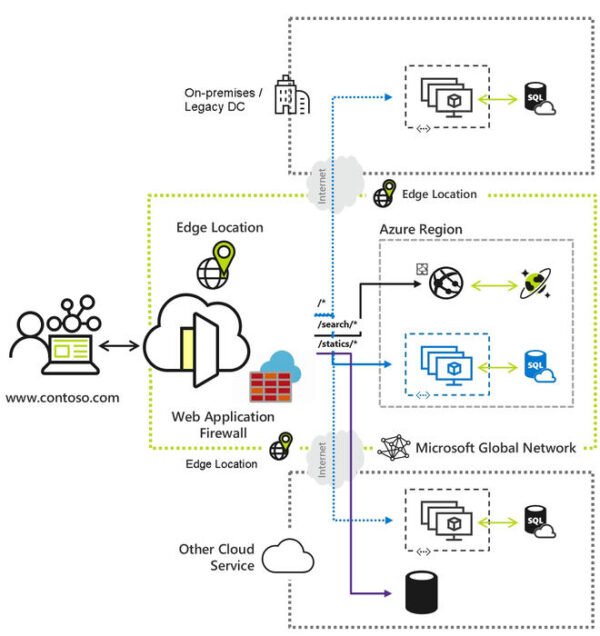
A Overview of solution design for Creating Agent 365 Custom Engine Agent that will be added as an Agent via agent-2-Agent (A2A) option in Copilot Studio.

👉 Goal: Build an Agent using Microsoft 365 Agent Framework in Python with new Microsoft Agent 365 SDK and access from Copilot Studio
What we’ll use:
- Microsoft Agent Framework, an open-source development kit for building AI agents and multi-agent workflows for .NET and Python.
- The Microsoft Agent 365 SDK extends the Microsoft 365 Agents SDK with enterprise-grade capabilities providing comprehensive tooling for observability, notifications, runtime utilities, and development tools to create production-ready agents in Agents 365.
- Agent365 SDK Python Sample (demonstrates how to build an agent using Agent Framework in Python with the Microsoft Agent 365 SDK)
- Testing agent locally using Agents Playground before deployment
✍ Prerequisites (not needed for Installing Agent 365 CLI)
- VS Code
- Python 3.x
- Agent Framework (agent-framework-azure-ai)
- Microsoft 365 Agents Toolkit CLI; more here
- Microsoft Agent 365 SDK
- Azure/OpenAI API credentials – Get from Foundry
- Install Agents Playground (npm install -g @microsoft/m365agentsplayground)
- Agent 365 CLI (command-line tool required for Agent 365 agents’ deployment and management).
1️⃣ Install Agent 365 CLI
Steps:
- Open the Installation page from https://learn.microsoft.com/en-us/microsoft-agent-365/developer/agent-365-cli?tabs=windows#install-the-agent-365-cli
- Install .NET on Windows.
- Follow the video below for detailed instructions on installing and configuring CLI.
- The Agent365 CLI requires a custom client app registration in your Entra ID tenant. Follow the video below to implement registration. Open the instructions from https://github.com/microsoft/Agent365-devTools/blob/main/docs/guides/custom-client-app-registration.md
- Add the following as Graph delegated permissions. (Covered in the Video).
AgentIdentityBlueprint.ReadWrite.All
AgentIdentityBlueprint.UpdateAuthProperties.All
Application.ReadWrite.All
DelegatedPermissionGrant.ReadWrite.All
Directory.Read.All
PlayConfigure Agent365 CLI Tool for SDK agent deployment
- Finally, run the following and enter your Application (client) ID when prompted:
a365 config initWhen you run the above, the CLI automatically validates:
- App exists in your tenant
- Required permissions are configured
- Admin consent has been granted
You’re all set! 😎
Next post will contain detailed Configuration, code and GitHub repo for developing Custom Engine Agent code. Will be published in a day or two.r.
About The Author


Kapoor, I (27/01/2026) Configure Agent 365 CLI to manage and deploy Custom Copilot Agents — Part 1. (2) Configure Agent 365 CLI to manage and deploy Custom Copilot Agents — Part 1 | LinkedIn