How To bring SharePoint Apps & Content into Teams
How TosJoin Bill Ayers, MVP, MCM, MCT, Flow Simulation Ltd., UK for this quick guide on ‘How To bring SharePoint Apps & Content into Teams’.

Join Bill Ayers, MVP, MCM, MCT, Flow Simulation Ltd., UK for this quick guide on ‘How To bring SharePoint Apps & Content into Teams’.

Join Reza Dorrani, MVP, Principal Consultant, Catapult Systems, USA as he quickly demonstrates How To Build Power Platforms Apps in Microsoft Teams using Dataverse.

In this blog, we will see how to post the message to Microsoft Teams using Incoming Webhook. What is the Incoming Webhook? Basically, it is a URL provided by Teams for any service to use to post content with the goal of sharing that content in your team’s channel. When you configure it, you get… READ MORE
A few weeks has passed since Microsoft Ignite and me and Amanda last spoke about our two worlds colliding. To refresh your mind; Amanda is working with productivity, collaboration and Microsoft 365 and you can find her blog here. Our previous common article had the title “The best from both worlds – Office Apps & Services and BizApps combined”. Our… READ MORE

If you’re unsure how video interop works with Microsoft Teams, this session is for you.

Let’s take a simple use case where you need to have a Microsoft Team created in Teams and have the Project Members added to the Microsoft Teams’ Project Team. You can simply do this using 2 simple Flows in Power Automate Scenario & Setup in Power Automate If you are a PSA Customer, you would… READ MORE

I’ve always been quite impatient with the progress of technology. In the year 2020, if I’m honest I thought we’d be way further ahead than we are right now. I didn’t expect to be enlisting in Starfleet that’s for sure, but I thought that I might at least have a working hoverboard and a flying… READ MORE
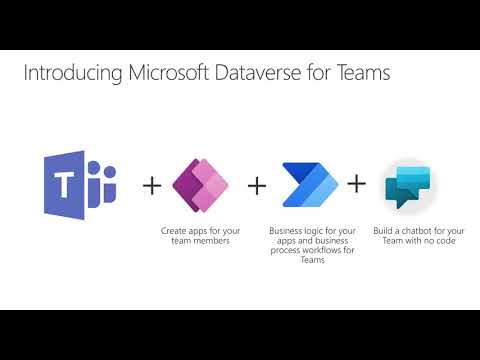
Are you looking for ways to maximize your Teams environment? This webinar will show you some low-code ways that you can bring powerful functionality into Teams.
Find File Versions in MS Teams? Yes, you can view version history of files in MS Teams! Over the past few months, I have been actively volunteering my time at virtual community events sharing knowledge and best practices for end users and IT Pros in #MicrosoftTeams. The most popular session thus far is – “Empower… READ MORE

So what is a Microsoft Team ID & why do you care? A TeamID is a unique identifier(UID) related to a specific team within Microsoft Teams. The reason that this so important is because most of the administrative actions you will use to automate, script, or provision will utilize this value. See the three examples provided… READ MORE
