Category: Microsoft Teams

Connect to Microsoft Teams PowerShell
Blog Posts

Start to work with PowerShell with Microsoft Teams. Connect to Microsoft Teams in Office 365 using Microsoft PowerShell on your Windows PC. PowerShell gives you the possibility to manage Microsoft Teams automated and programmatical way. Teams is one of the most often used collaboration app in Microsoft 365. There are multiple complex features inside Microsoft Teams like calling, meetings or live… READ MORE

Fix Microsoft Teams calendar not loading
Blog Posts

If you use Microsoft Teams, the Calendar application is a central component to keep you organized in your day-to-day activities and there is nothing more frustrating than seeing an error message that prevents you from seeing your schedule. If your calendar is presenting you with the error message “Couldn’t load your calendar. Let’s give it… READ MORE

Create a Simple Teams Creation Workflow using Power Automate
Blog Posts

Why do I need to build a Teams creation process using Power Automate? What’s wrong with the standard Team creation process? Well when you create Microsoft Teams out of the box there are only limited governance capabilities. For example: Limited Teams naming standard Teams with duplicate display names can be created Only one owner is… READ MORE

Installing the Microsoft Teams PowerShell Module
Blog Posts

On February 15, 2021 Microsoft has decommissioned the Skype for Business Online PowerShell Module and rolled the commands that were available in that module into the new Microsoft Teams PowerShell Module. Whether you are using Teams in your organization or not, you will need to upgrade to the latest PowerShell module to manage Skype for… READ MORE

Microsoft Teams - Public VS Private
Microsoft Teams – Public VS Private
Blog Posts

This article is a part of a series I plan across the various Microsoft Teams capabilities. One of the considerations for you before deciding to roll out Microsoft Teams is to definitely understand the various capabilities within Teams and understand the impact of it considering your Governance requirements within your organization. Private and Public teams… READ MORE

Teams Application Testing With Ngrok
Blog Posts

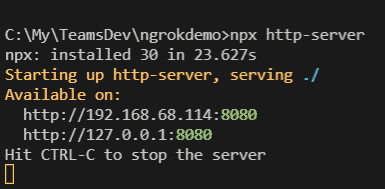
Introduction While developing the apps for teams, ngrok comes in handy. Teams app doesn’t run inside the teams, but rather runs outside of it. Let’s try to understand what is ngrok. It provides a tunneling service for the incoming requests from the internet (for example, requests from bot service, graph change notifications, etc) to your… READ MORE